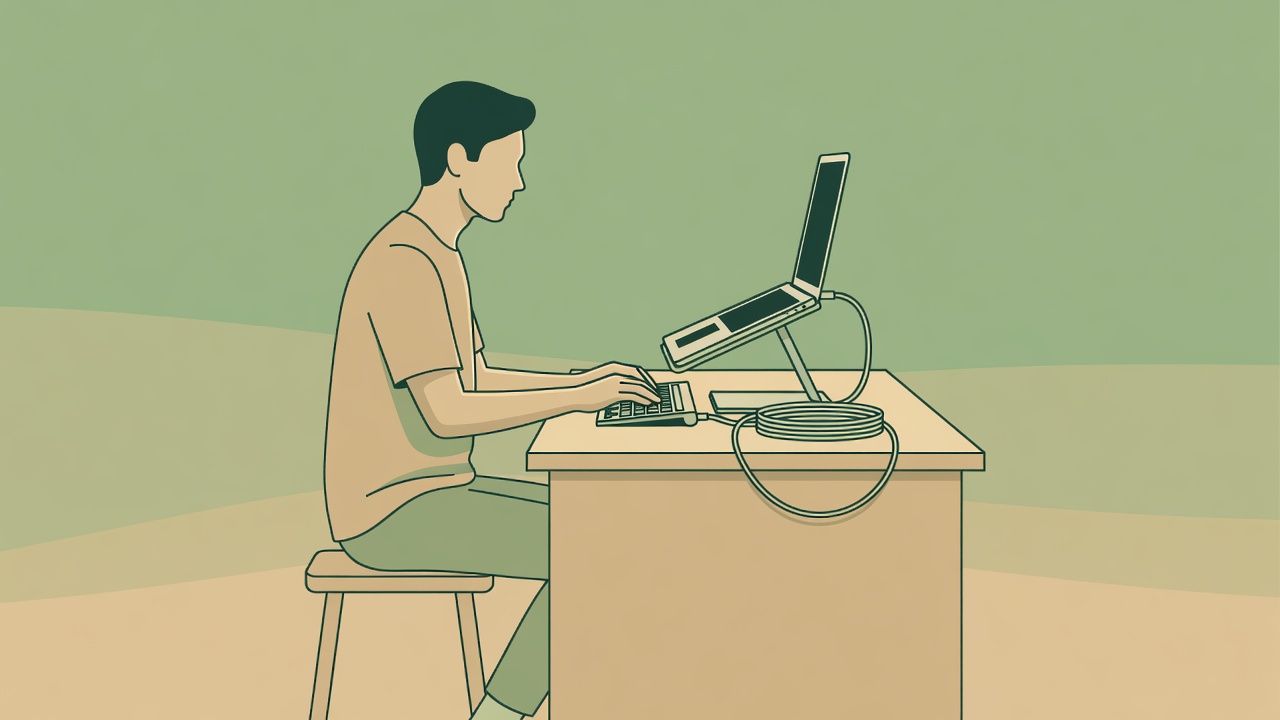
A productive desk is not necessarily a minimal desk. It is a place where the things you need for the current job are available and the things you do not need are not demanding attention. For one person that means a clear writing surface; for another it means keeping a notebook open beside a screen. Start by observing an ordinary work session rather than inventing a new routine to justify an accessory.
Write down three interruptions: perhaps the charging lead falls away, the webcam sits too low, and a pile of post occupies your mouse space. Those are separate problems. A larger desk mat will not solve all three, and a premium charging station may be a complicated answer to only the first. Our ordering below favors a direct fix with limited upkeep.
A use-case ranking, not a universal podium
Cable clip: for the lead that disappears
A small clip or reusable cable tie earns first consideration when you repeatedly retrieve the same cable. Check cable diameter, adhesive suitability and whether the lead still moves freely. Do not pinch a cable, trap heat or attach anything to a damaged power lead.
Screen support: for awkward viewing placement
A stable riser can help position a screen, provided the whole setup still suits the task. Measure the footprint and check the maker’s load limit. Port access and ventilation matter as much as appearance.
Task light: for a dim working area
An adjustable lamp is more targeted than brightening an entire room. Look for useful positioning, manageable glare and a stable base. Try repositioning a lamp you own before adding another.
Small tray: for loose everyday items
A shallow tray gives a pen, access card and adapter a predictable place. It ranks below a direct equipment fix because a spare container often works equally well.
Build a screen setup as a system
Raising a laptop changes more than the screen height: it also raises the built-in keyboard. For longer typing sessions, a separate keyboard and pointing device may be needed to keep the arrangement usable. A stand alone is not a complete ergonomic solution. Leave space to move, change position and place frequently used items within comfortable reach.
The UK Health and Safety Executive’s display screen equipment guidance is a useful starting point for workstation checks. The OSHA Computer Workstations eTool also explains how different parts of a setup interact. Neither makes a particular stand the right choice for everyone. Persistent discomfort deserves appropriate professional advice, not a promise from an accessory listing.
Useful when
You work at the same surface regularly and can fit the screen, keyboard and pointing device without crowding.
Less useful when
You frequently change locations, lack separate input devices or already have comfortable screen placement.
Check portability and maintenance
| Accessory | Portability | Maintenance check |
|---|---|---|
| Cable clip | Small; adhesive versions may not transfer | Check grip and surface residue; follow removal instructions |
| Folding stand | Usually easier to carry than a fixed riser | Inspect hinges, feet and ventilation clearance |
| Desk lamp | Better for a stable location | Keep vents clear; check cord condition and replacement options |
| Desk mat | Rollability depends on material | Use the maker’s cleaning guidance; let surfaces dry |
Practical gadgets need a narrow job
A physical timer can be useful if reaching for a phone pulls you into unrelated apps. It is unnecessary if your existing timer already works without distraction. Similarly, a USB hub should address a real port shortage, not an imagined future setup. Confirm the device’s supported data and power specifications; a connector shape by itself does not establish capability.
USB-IF publishes information about USB technologies, while the Bluetooth SIG explains Bluetooth connectivity. Treat those as technical references rather than guarantees that any two accessories will behave as expected. Read device documentation and avoid assuming that every USB-C cable supports the same charging or display functions.
Try a no-purchase desk reset
For one workday, clear only the area needed for your current task. Route a cable safely using a reusable tie, put loose items in an existing shallow container, and move a lamp to test the light. A stable existing shelf may help screen placement, but avoid improvised stacks that wobble, block ventilation or create a tipping hazard.
At the end of the day, ask which interruption actually disappeared. If the same problem remains, you now have a useful shopping specification: “holds this cable on this surface” is more helpful than “makes my desk productive.” Keep the fix small enough that it does not create another setup ritual.